

Overview
This integration ships events from AWS Security Hub to Layerlog. It will automatically deploy resources to your AWS Account.
A new event triggers a designated EventBridge rule, which invokes a Lambda function. The function processes the event and sends it to Layerlog.
Your Lambda function needs to run within the AWS Lambda limits, such as memory allocation and timeout. Make sure you understand these limits. If you can’t adjust your settings to stay within the Lambda limits, you can use the AWS Support Center console to request an increase. Learn more about AWS Lambda Limits.
Automated CloudFormation deployment
Login to your account
To begin, you need to login to your AWS account.
Create a new stack
Select the button below to create a new stack dedicated to sending events from AWS Security Hub to Layerlog.
| AWS Region | Launch a stack |
|---|---|
us-east-1 |
 |
eu-west-1 |
|
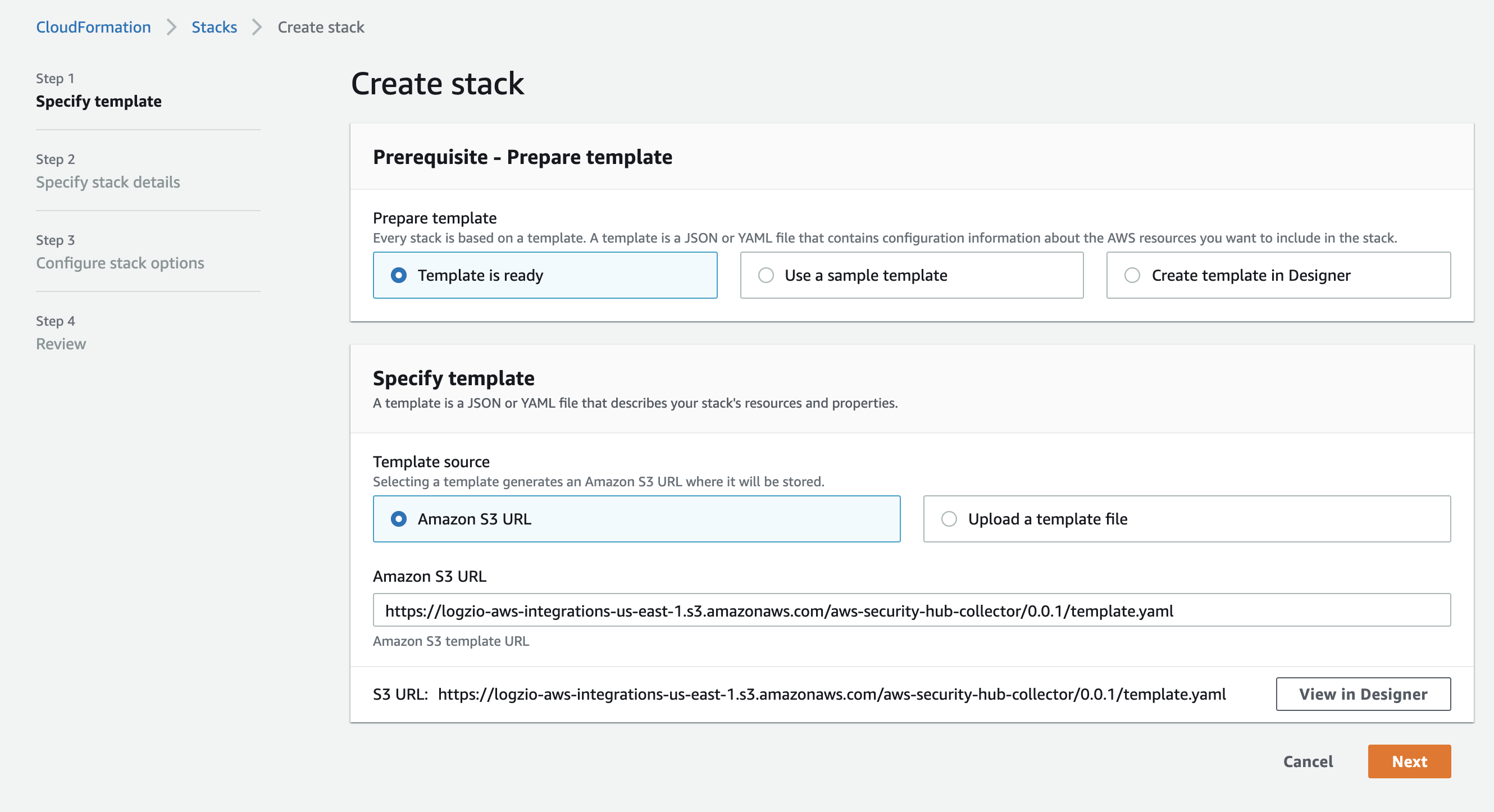
Keep the default setting in the Create stack screen and select Next.
Specify the stack details
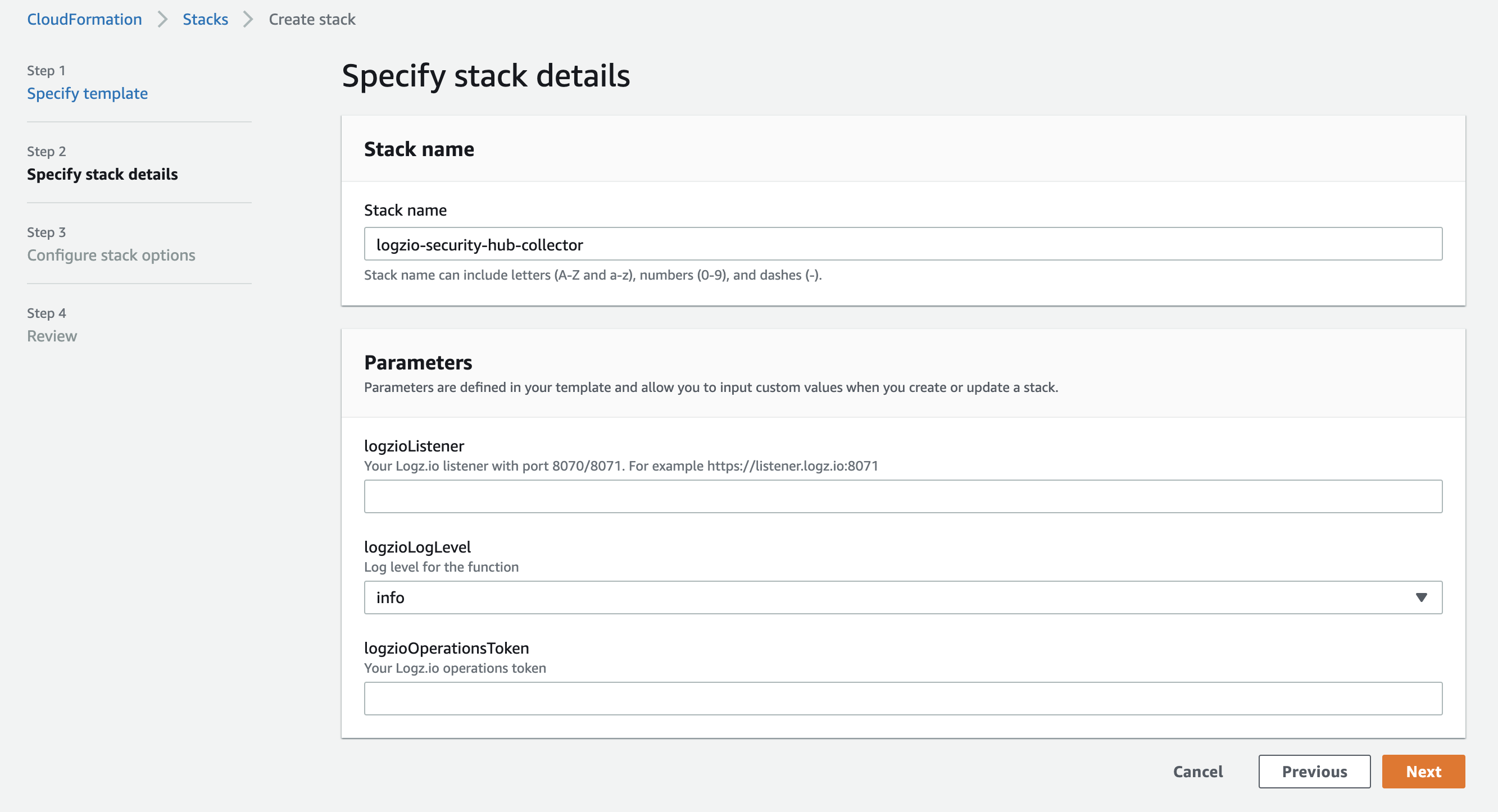
Specify the stack details as per the table below and select Next.
| Parameter | Description |
|---|---|
logzioListener |
Your Layerlog listener url, followed by port 8070 or 8071. For example, https://listener.layerlog.com:8071 |
logzioLogLevel |
Log level for the Lambda function. Defaults to info. Valid options are: debug, info, warn, error, fatal, panic. |
logzioOperationsToken |
Your Layerlog operations token. |
Configure the stack options
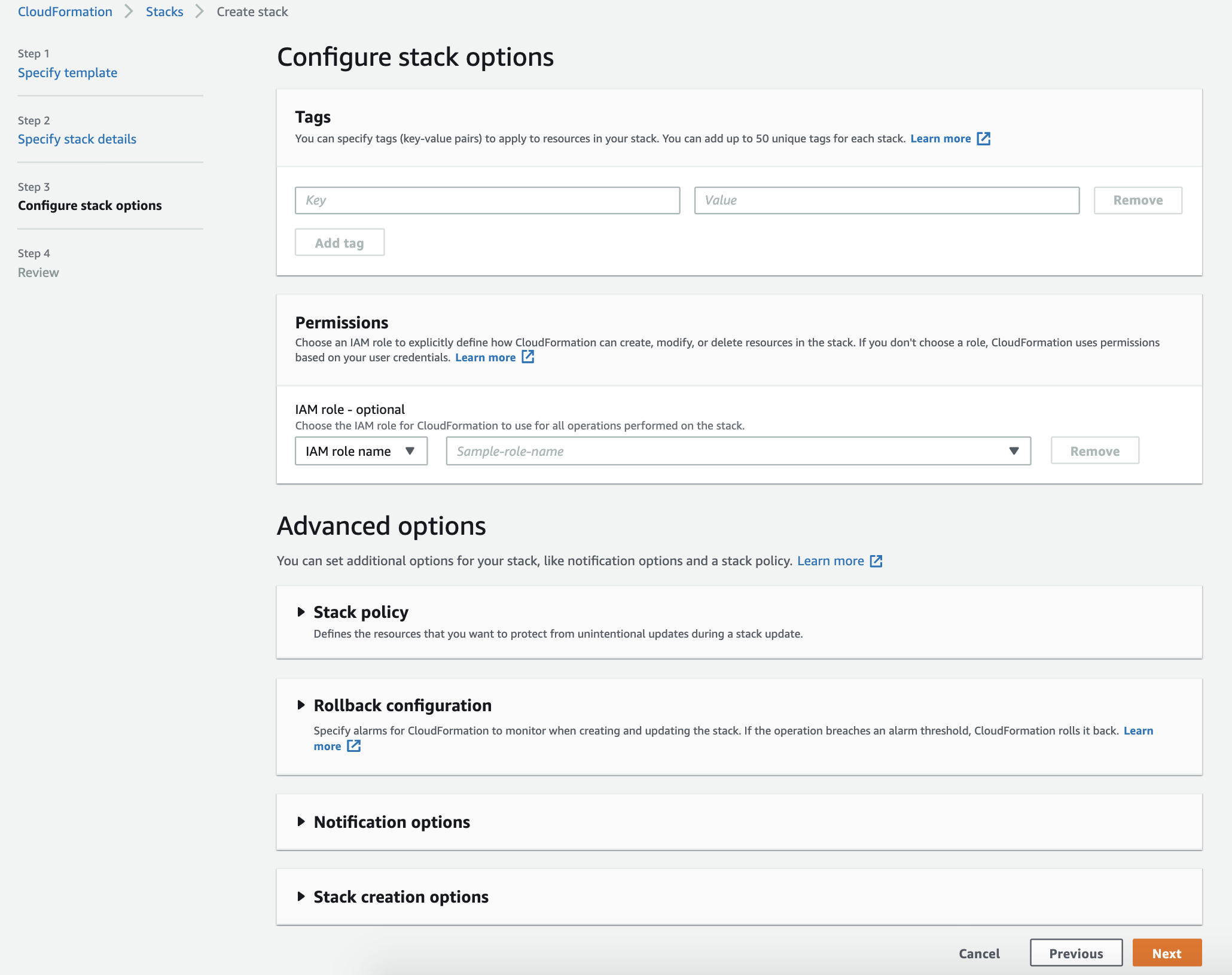
Specify the Key and Value parameters for the Tags and select Next.
Review the deployment


Confirm that you acknowledge that AWS CloudFormation might create IAM resources and select Create stack.
Deployed resources
This deployment will automatically create the following resources:

Check Layerlog for your events
Give the stack some time to deploy and the resources to get created. Once this is finished, the stack sends a security event to Layerlog as soon as the event is created on the security hub. You can then see the data in Kibana.
If you still don’t see your events, see log shipping troubleshooting.
Deployment using a module
Deploy this integration to add a module for AWS security hub to your existing stack. This integration uses Cloudwatch Public Registry.
Layerlog Public Registry extensions are currently only available on the AWS region us-east-1.
At the moment, our AWS Lambda-based integrations do not support working with test events. This functionality is in development.
Before you begin, you’ll need:
- A CloudFormation stack
Select the Layerlog AWS Security Hub extension
- Navigate to CloudFormation > Registry > Public extensions.
- Set Extension type > Modules and Publisher > Third party.
- Select logzio::awsSecurityHub::collector::MODULE.
Activate the Layerlog AWS Security Hub extension
- On the logzio::awsSecurityHub::collector::MODULE select Activate.
- In the Extension details section, select Use default.
- In the Automatic updates section, select On.
- Select Activate extension.
Copy the configuration template
On the logzio::awsSecurityHub::collector::MODULE page, navigate to Example template and select Copy template.
Add your stack values to the configuration template
{
    "Resources": {
        "MyModule": {
            "Type": "logzio::awsSecurityHub::collector::MODULE",
            "Properties": {
                "logzioOperationsToken": "<<LOG-SHIPPING-TOKEN>>",
                "logzioListener": "https://<<LISTENER-HOST>>:8071",
                "logzioLogLevel": "<<LOGZIO-LOG-LEVEL>>"
            }
        }
    }
}
Save the template as a yaml file and add the values of your stack to the as per the table below.
| Parameter | Description |
|---|---|
<<LISTENER-HOST>> |
Your Layerlog listener url, followed by port 8070 or 8071. For example, https://listener.layerlog.com:8071 |
<<LOGZIO-LOG-LEVEL>> |
Log level for the Lambda function. Defaults to info. Valid options are: debug, info, warn, error, fatal, panic. |
<<LOG-SHIPPING-TOKEN>> |
Your Layerlog operations token. |
Add your stack values to the configuration template
If you are creating a new stack:
- In step 1 of the Create stack process, select Template is ready.
- Select Upload a template file.
If you are editing an existing stack:
- Select the stack.
- Select Update.
- Select Edit template in designer.
-
Paste the contents of the yaml file into the Resources section of the template as follows:
"Resources": { "MyModule": { "Type": "logzio::awsSecurityHub::collector::MODULE", "Properties": { "logzioOperationsToken": "<<LOG-SHIPPING-TOKEN>>", "logzioListener": "https://<<LISTENER-HOST>>:8071", "logzioLogLevel": "<<LOGZIO-LOG-LEVEL>>" } } } - If required, change the module name by editing the
"MyModule"value.